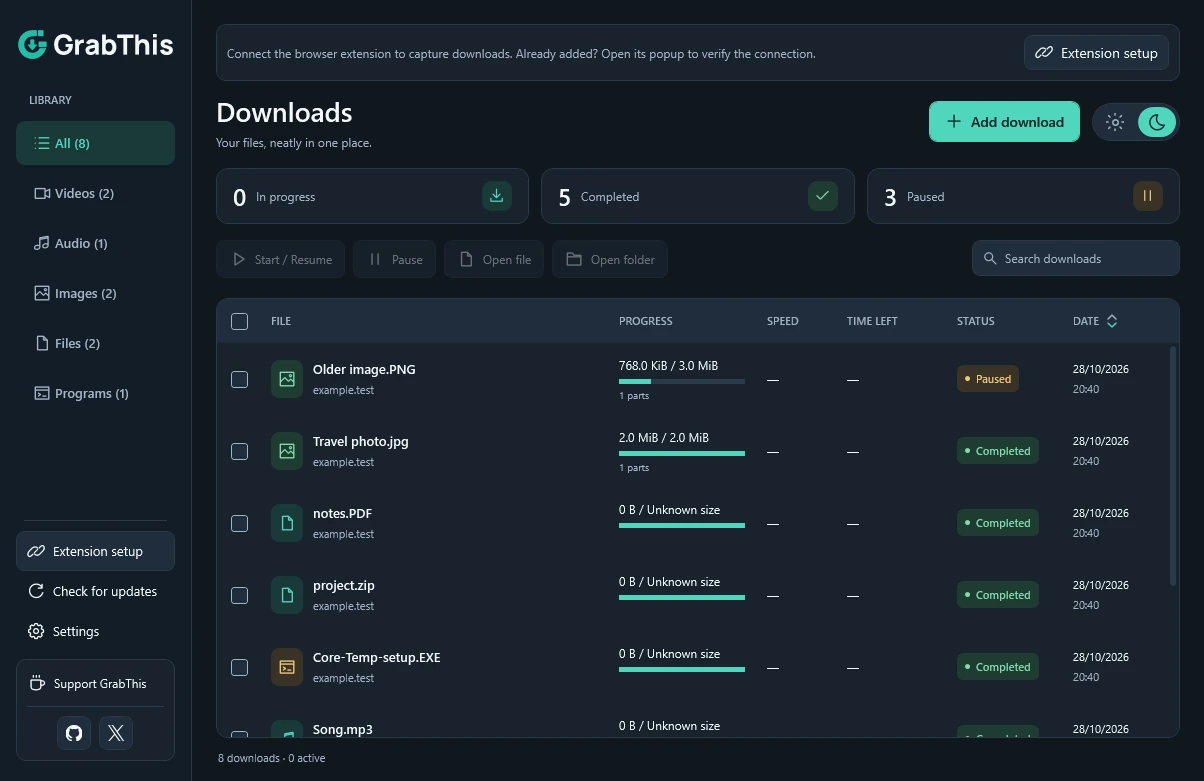
Catch downloads automatically.
Capture eligible browser downloads and choose their name and folder before starting. You can also right-click an image or download link and choose Download with GrabThis.
Chrome & Edge · Start confirmation

 Download Manager
Free download manager for Windows
Automatic browser capture, downloads you can pause and resume, and video to MP3. The tools you need, together in one straightforward app.
Windows x64 · Free to use · Your choice of language
The important features. A simple way to use them.
Install the desktop app first. Chrome, Edge, Brave and Opera use the illustrated setup guide below.
Built around the essentials
Capture, control, organize. Your everyday download tools, without a maze of settings.
Capture eligible browser downloads and choose their name and folder before starting. You can also right-click an image or download link and choose Download with GrabThis.
Chrome & Edge · Start confirmation
Resume supported downloads, let GrabThis choose multiple connections when the source allows it, and set a speed limit when you need one.
Automatic connections · Speed limits
Keep images, videos, audio, files and programs in their own categories. Search your history, select several items, and manage them together.
Categories · Search · Bulk actions
 GrabThis
Illustration. Formats and quality depend on the source.
Keep the part you came for
A floating button puts available video formats within reach. Open it, choose a supported format and quality, then confirm the download in GrabThis.
Works with these platforms and standard videos or supported embedded players on other websites. Formats depend on the source. Some players, protected videos and sign-in-only content may be unavailable.
Convert a local video to MP3 inside GrabThis. Choose 128, 192, or 320 kb/s, and keep your original video.
In your browser
Real screenshots of GrabThis on public videos. Open an image to see the button and available formats up close.
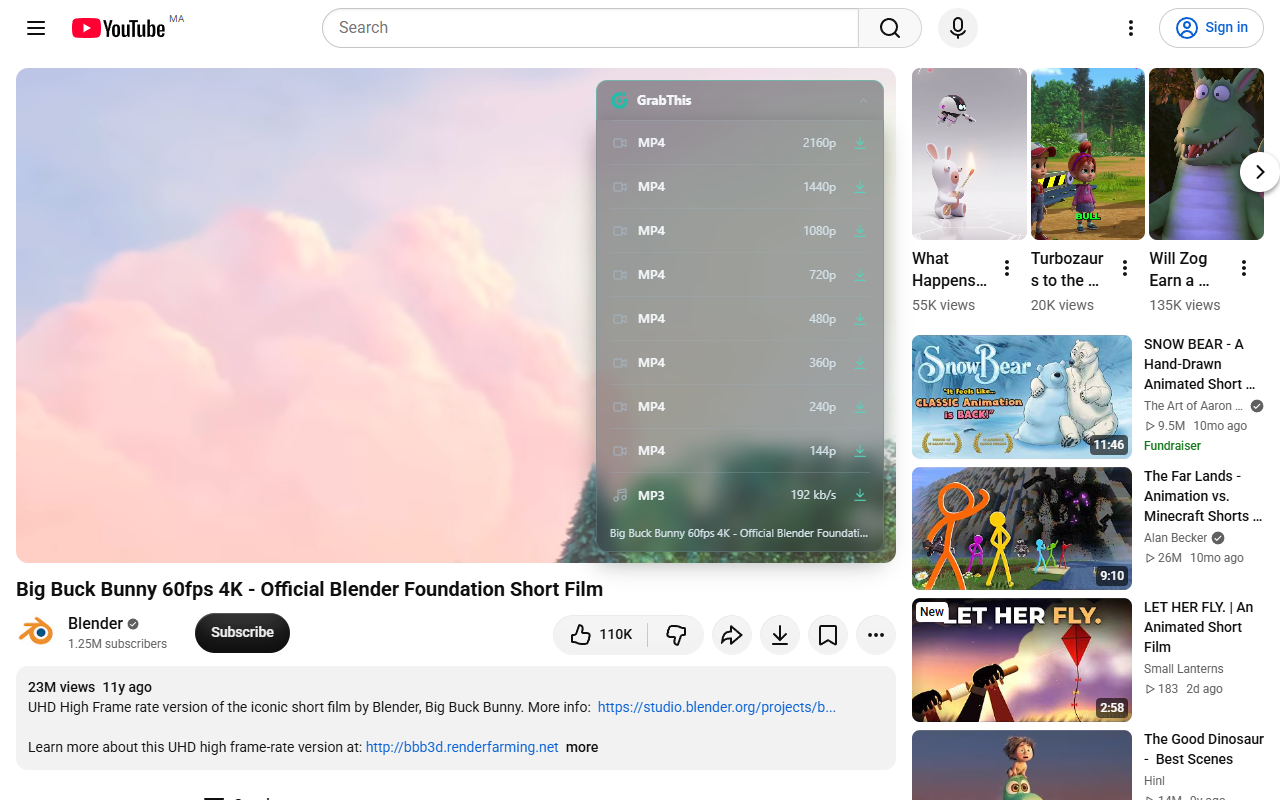
YouTube prepares formats for the main video automatically.
See video qualities up close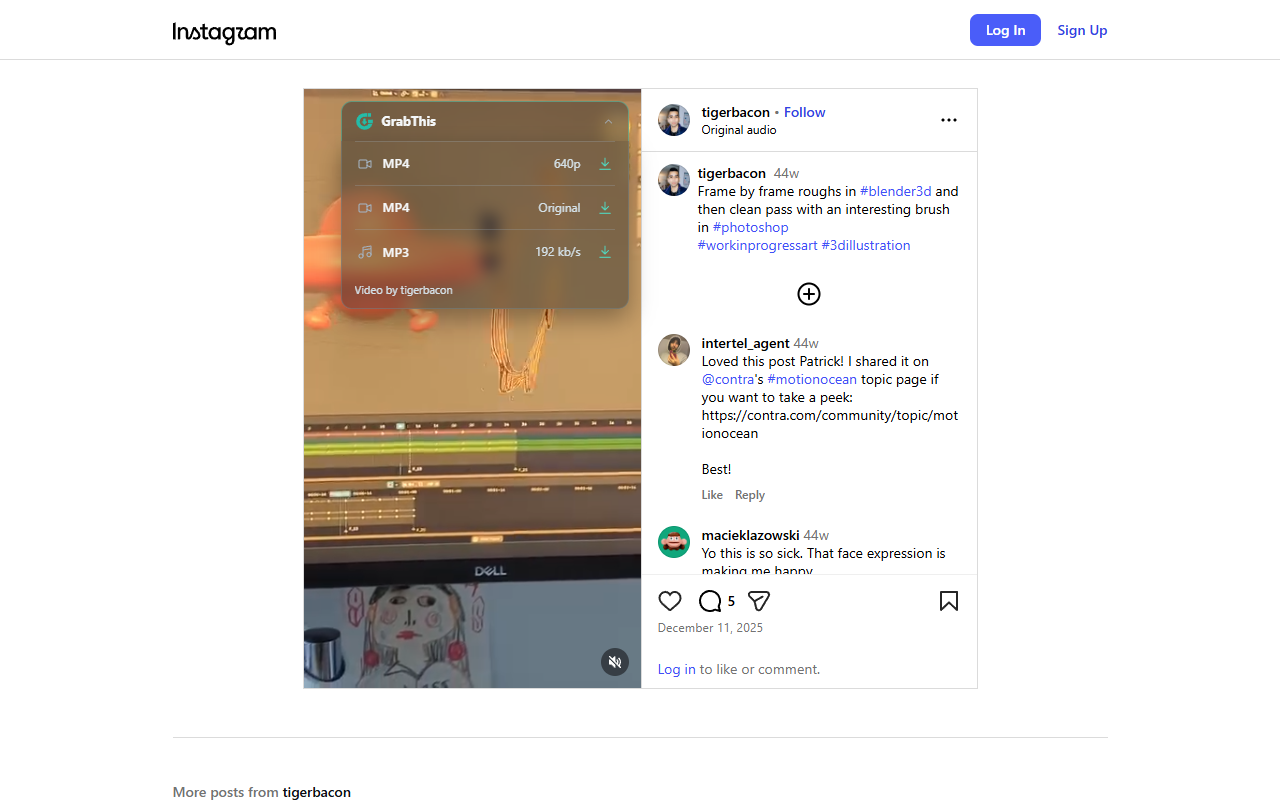
Click the floating button to find formats for the current Reel.
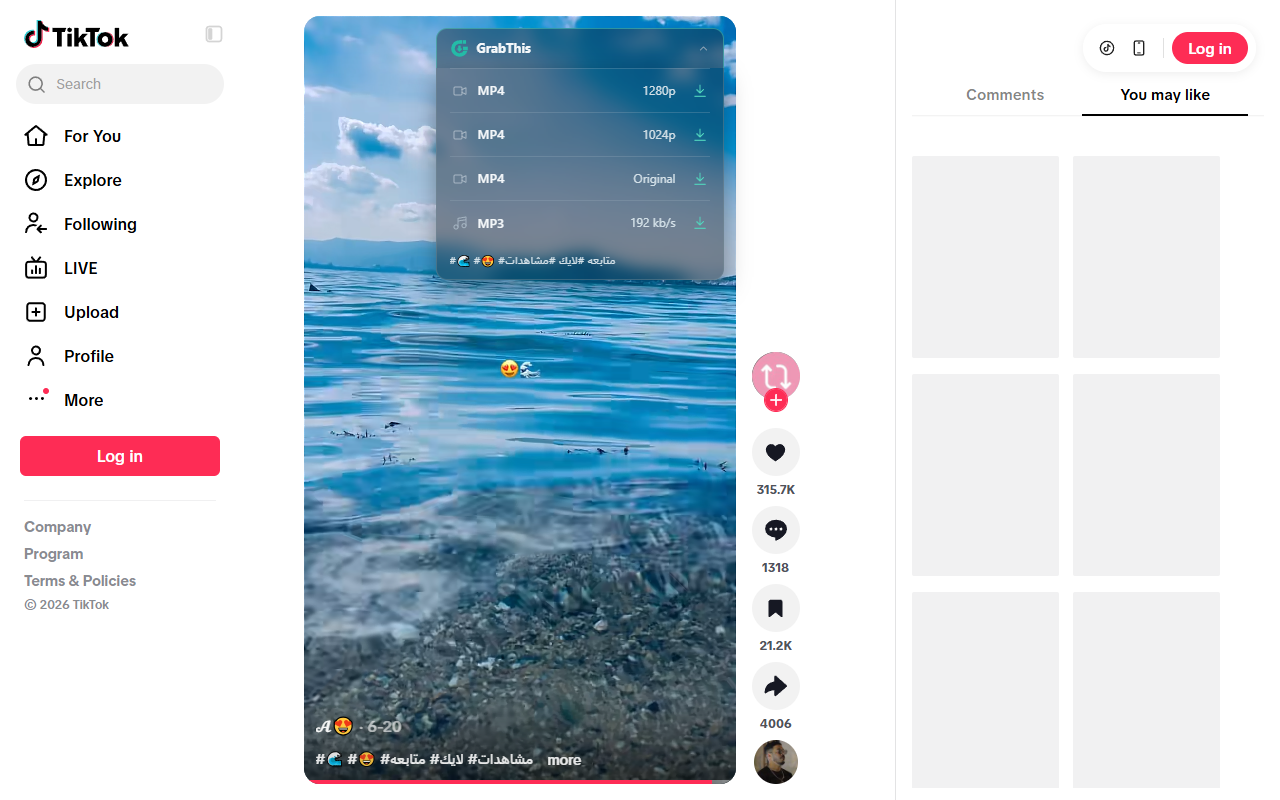
Inspect the video you choose, without fetching the whole feed.
Formats and resolutions depend on the source. MP3 conversion is performed by the desktop app.
Connect once. Then start saving.
Start with the desktop app, then add the browser companion using the illustrated guide below.
Download and open Setup.exe, then approve the administrator prompt. Setup installs in Program Files with the app runtime and video tools included, so installation works offline.
GrabThis-0.1.57-Setup.exeLaunch GrabThis from the Desktop or Start Menu shortcut. Its Browser setup wizard opens on first launch and guides you through adding the companion.
For Chrome, Edge, Brave or Opera, follow the illustrated guide below. For Firefox, use Add to Firefox above to install from Mozilla Add-ons.
 Chrome
 Edge
 Brave
 Opera
 Firefox
Use the same extension folder in Chrome, Edge, Brave, Opera and other compatible Chromium browsers. Follow the highlighted controls below.
Install GrabThis with Setup.exe. In the Windows Start Menu, open GrabThis → Browser extensions. Copy this folder’s address from File Explorer.
This illustrated Chrome guide covers the browser menu, Developer mode, Load unpacked and choosing the extension folder. Edge, Brave and Opera use similar steps; labels may vary.
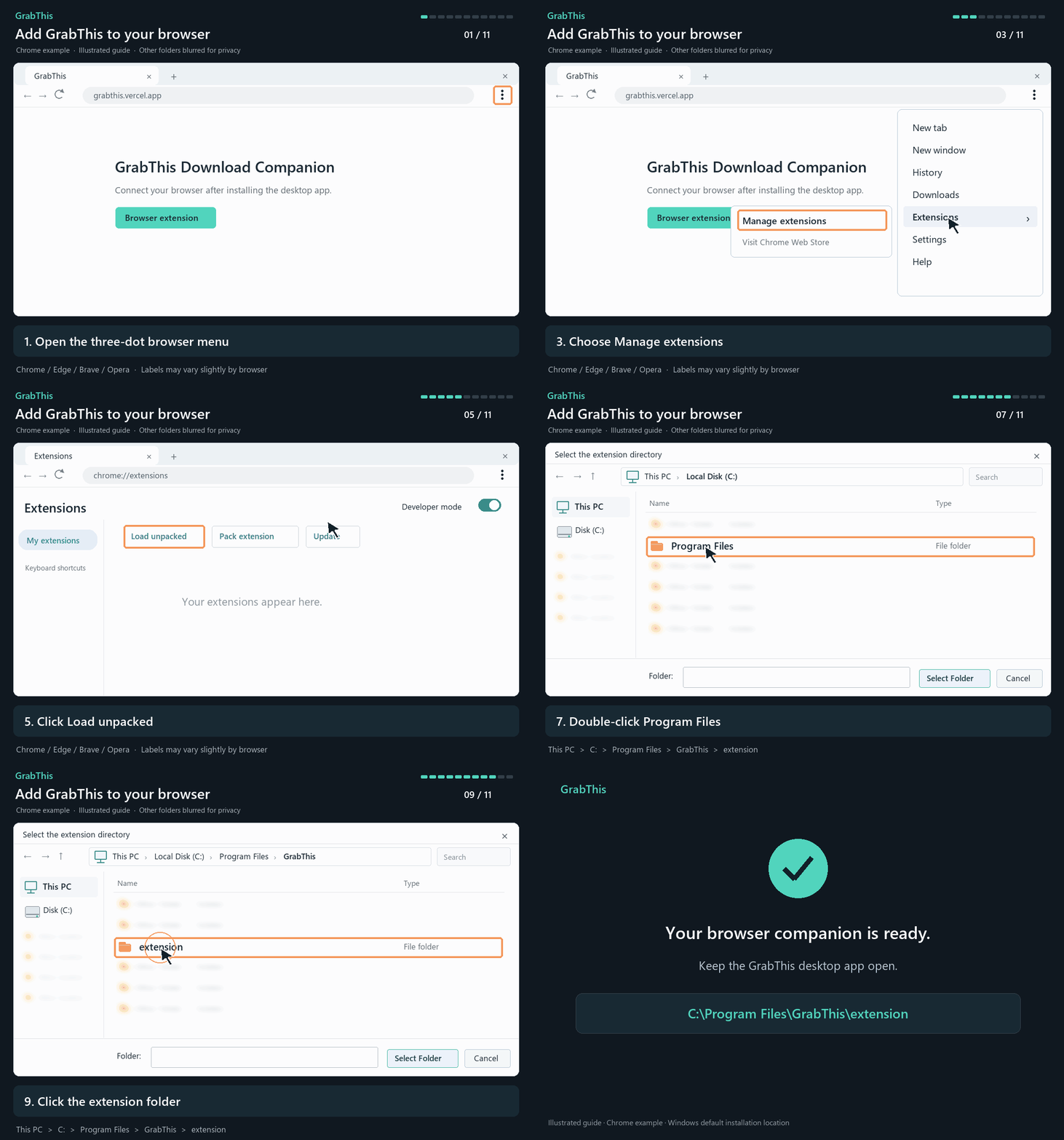
No address to type: in Chrome, click the three dots → Extensions → Manage extensions. Other Chromium browsers may show Extensions directly or under More tools. The numbered image is an illustration.
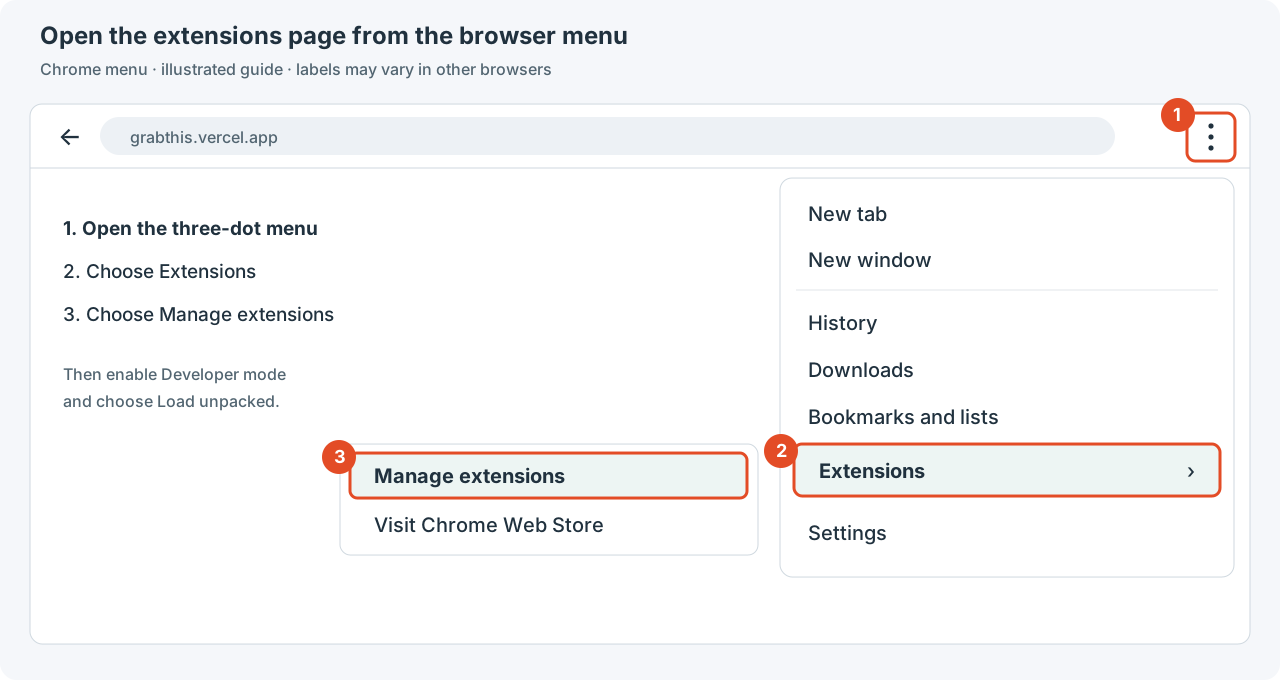 Chrome
chrome://extensionsEdgeedge://extensionsBravebrave://extensionsOpera / Opera GXopera://extensionsOpen your browser’s extensions address above, then enable the switch outlined in orange. Chrome is shown; labels and placement may vary slightly.
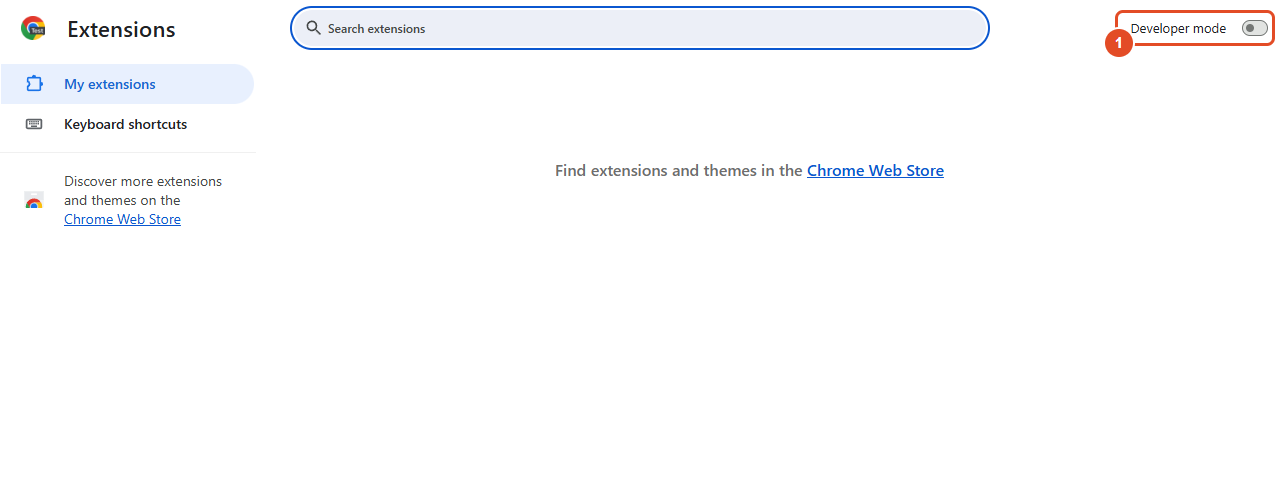
Click the highlighted button to choose the extension folder.
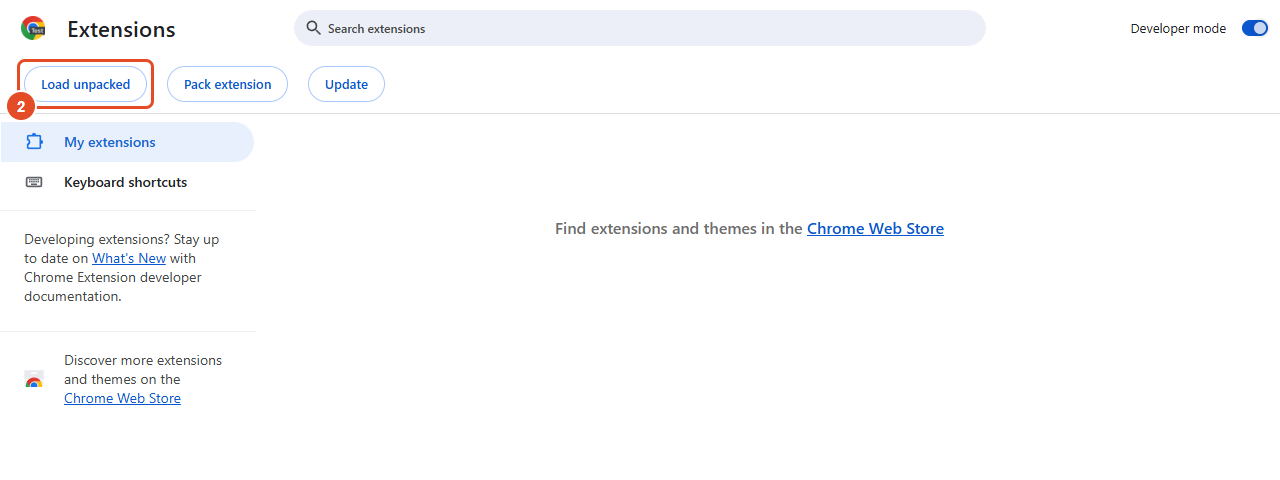
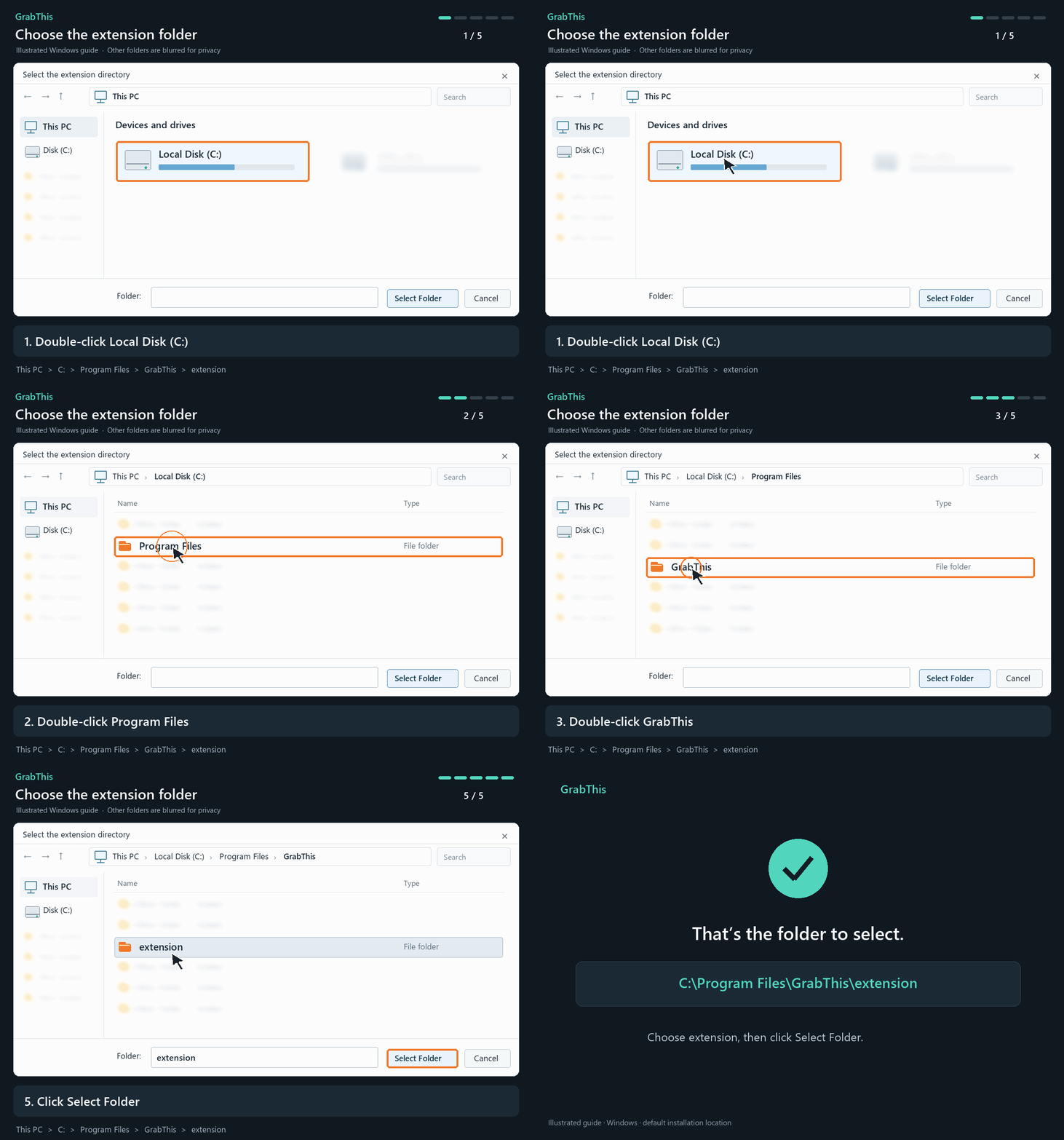
Open This PC → Local Disk (C:) → Program Files → GrabThis. Select extension, then click Select Folder. This animation shows the default installation location.
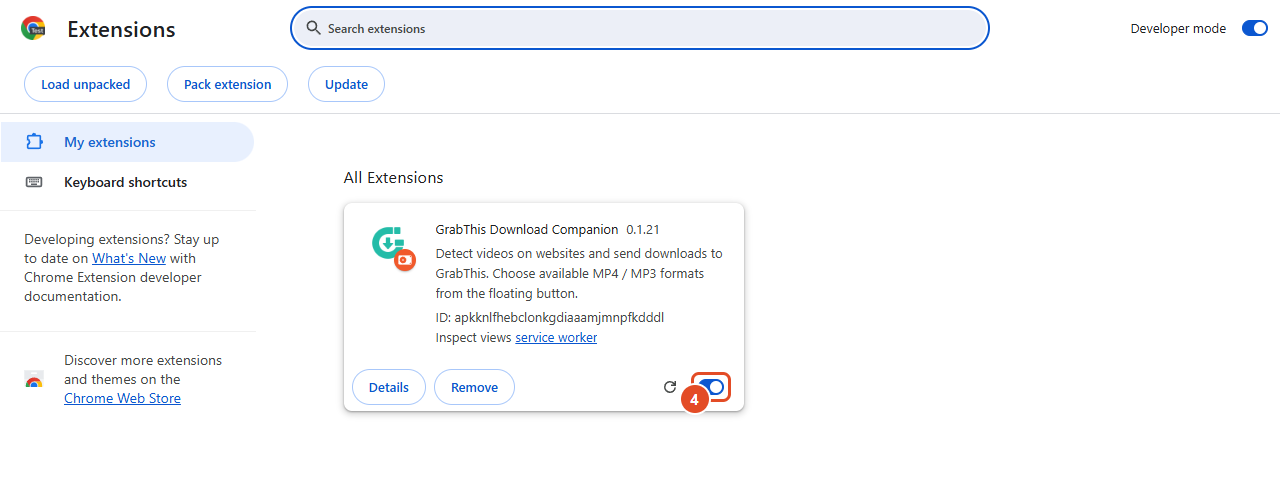
The GrabThis Download Companion card should appear with its switch on. Open GrabThis to connect.
Get GrabThis
Windows x64 installer. Download Setup.exe, install, and open GrabThis from its shortcut. No terminal or .NET SDK is required.
Setup downloads about 105 MB of verified video tools. An internet connection is needed during installation.
A few things, answered
A clear picture before you make it part of your day.
Yes. GrabThis is being built as a free download manager. Optional support links will be added when they are ready.
The current app is built for Windows x64. Linux is planned for a later version. There is no Linux or macOS package available yet.
GrabThis supports YouTube, X, Instagram, TikTok and Facebook, along with standard video players on other websites. Available formats depend on the source. Protected or sign-in-only videos and some custom players may be unavailable.
Pause a download and resume it later when the source supports it. Multiple connections and individual part progress are available for compatible files; the server determines what can be resumed.
Chrome, Edge, Brave and Opera use the companion included with GrabThis. Firefox uses the signed Mozilla Add-ons version. Install the latest extension update available for your browser.